Shopify App Store SEO (ASO): how app listings actually get found

Shopify App Store SEO (ASO): how app listings actually get found
Most Shopify apps are not found through Google. They are found inside the Shopify App Store, where a merchant types "abandoned cart" or "wishlist" into the search bar and picks from the first handful of results. That internal search box is your real distribution channel, and ranking in it is the highest-return thing you can do before spending a dollar on ads. App Store SEO, often called ASO (app store optimization), is the work of making your listing the one the store decides to show. This is how it actually works, and what moves the needle versus what just feels productive.
Why App Store search is the channel that matters first
A merchant with a problem does not open Google and search "best Shopify wishlist app for 2026." They open their admin, click Apps, and type "wishlist." The store hands them a ranked list, they skim the top few cards, and they install one. That entire decision happens inside Shopify, on a surface you can influence directly.
That is what makes ASO the highest-return early channel. Ads cost money every month and stop the day you stop paying. A strong organic rank for a keyword that merchants actually search keeps sending installs while you sleep, and it compounds: more installs lead to more reviews, which lifts rank, which brings more installs. Get this engine turning before you pour money into paid acquisition. Paid is for pouring fuel on a fire that already burns.
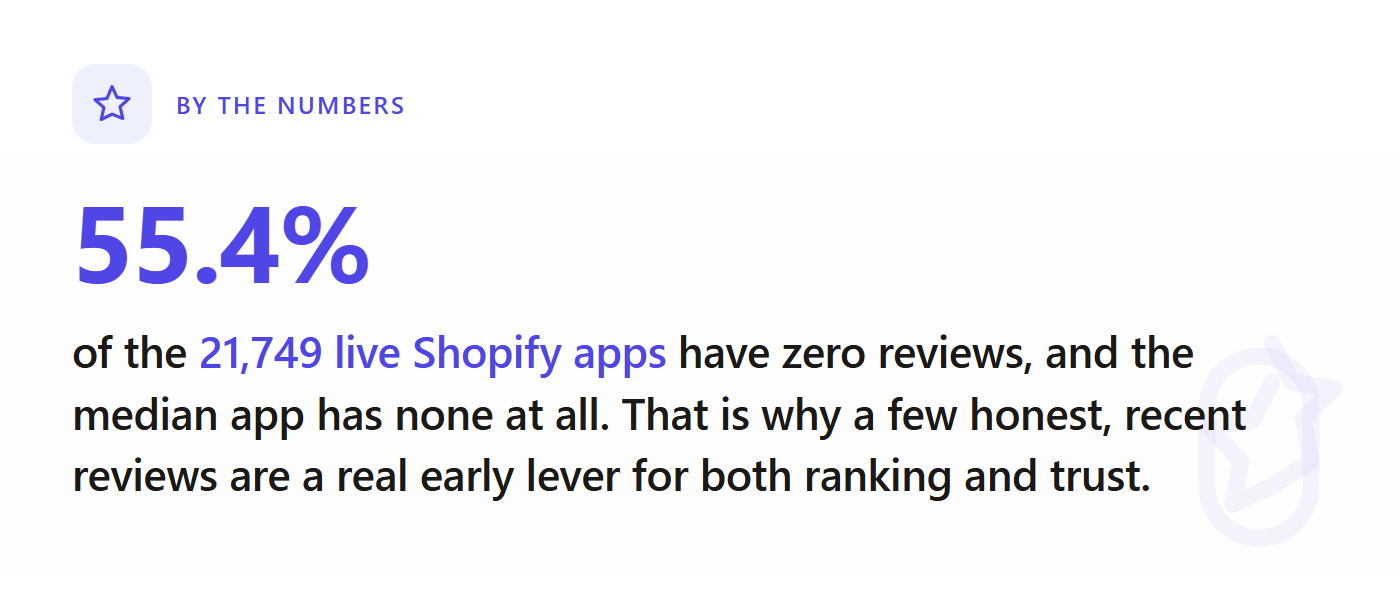
There is a humbling reason to take the organic engine seriously. Across the store, the median app has zero reviews. Most listings never get traction at all, and a big part of why is that they are invisible to search: wrong name, wrong category, copy that matches no real query. Discoverability is not a finishing touch you add after launch. It is most of the game.
The five levers, ranked by impact
App Store ranking is not one number. Shopify does not publish the exact algorithm, and anyone who claims a precise formula is guessing. But the inputs are well understood, and they line up into five levers. Here they are, heaviest first.
1. Your app name
The app name is the single most weighted piece of text in your listing, and you get only 30 characters for it (per the Shopify App Store requirements). That constraint is the whole game. Two hard rules to know up front: you cannot put the word "Shopify" in your app name, and you cannot use superlatives like "best," "first," or "only." So "Shopify SEO Booster" is out, but "SEO Booster" is fine.
The mistake almost everyone makes is spending all 30 characters on a clever brand and none on a keyword. "Bloom" tells the store nothing. "Bloom: Wishlist & Save" tells the store you are a wishlist app and earns you a shot at ranking for "wishlist." If you are early and unknown, a descriptive keyword in the name is worth more than a memorable brand. You can grow into the brand once people search for you by name.
My rule: lead with the brand only if merchants already search for it. Otherwise spend those characters on the one keyword you most want to own, and make the rest of the name read like a human wrote it.
2. Keywords across your listing copy
After the name, the store reads the rest of your listing for relevance: your tagline, your app introduction (the short, large-font line near the top, around 100 characters), your feature list, and your full description. The keyword you want to rank for should appear naturally in those places, phrased the way a merchant would actually type it.
Two things matter more than people think. First, match the merchant's words, not yours. If you call it "post-purchase upsell flows" and merchants search "upsell," you lose. Write down the three or four exact phrases a real merchant would type, then make sure your copy contains them in plain language. Second, do not stuff. Shopify's own requirements are explicit that you should not add keywords to your subtitle "with the intent of improving search performance," and listing content is reviewed by humans before it goes live. Repeating "wishlist wishlist wishlist" reads as spam to a reviewer and as noise to a merchant. Say the phrase a couple of times where it fits, and move on.
3. Your primary category
Picking the right category is half ranking signal, half merchandising. Merchants browse by category, and the store uses your category to decide which searches you are even eligible for. Choose the category your app most truly belongs to, not the one that looks least crowded. A wishlist app filed under "Marketing" because the developer thought it was less competitive will lose to one filed correctly, because merchants looking for that function never browse the wrong shelf.
Crowding is real and worth knowing before you commit. Some categories are packed: Analytics has over 1,200 live apps, upsell and cross-sell over 900, and SEO tools over 800. Landing in a dense category does not doom you, but it tells you the bar. If a category is wall-to-wall established apps with thousands of reviews each, ranking organically will be slow, and you need either a sharper sub-niche or a real budget. That trade-off, how crowded your specific category is and how beatable the leaders are, is exactly what the most saturated Shopify app categories breakdown digs into.
4. Reviews, and especially recent reviews
Reviews do double duty: they are a ranking input and the single biggest trust signal on your card. Here the detail that trips people up is that recency and pace appear to matter, not just the lifetime total. An app pulling in fresh reviews this month tends to read as alive and rising to the store, while an app sitting on a big static pile from two years ago reads as coasting. Momentum beats a stale trophy case.
This is genuinely good news if you are new. You do not have to out-review an incumbent with 5,000 reviews to start climbing. You have to build a steady, honest stream of recent ones. The way to do that: ask at the right moment, right after the app delivers a clear win (the merchant completes setup, sees the feature work, hits a result), with a plain in-app prompt. Never buy reviews or trade them. Shopify polices fake reviews, and getting caught is fatal to a listing.
5. Your listing's conversion rate
This is the lever almost nobody treats as SEO, and it is the one that closes the loop. Ranking earns the click. Your listing then has to turn that click into an install, and the store watches that conversion rate. A listing that ranks but does not convert sends a signal that it is not the answer to the query, and rank erodes. A listing that converts well tells the store it deserves the spot, and rank holds or climbs.
So the first screen of your listing is not decoration, it is the close. Lead with a sharp, specific value line a merchant grasps in two seconds. Make your first screenshot show the actual outcome, not a logo or a slogan. Keep your pricing honest and legible. Every point of conversion you win is also a small push up the rankings, which is why I treat the listing page as a conversion-rate problem, not a copywriting exercise.
What does not move the rankings (stop doing these)
A lot of "ASO advice" is busywork. Things that waste your time:
- Keyword stuffing. Covered above, but worth repeating: it is against the requirements and it backfires with both the reviewer and the merchant.
- Chasing high-volume head terms you cannot win. Ranking page one for "marketing" is a fantasy when 1,000 apps want it. A precise phrase you can actually own ("back in stock alerts") beats a giant one you cannot.
- Endless listing tweaks with no plan. Refreshing your listing periodically is healthy, but rewriting your tagline every week chasing a rank bump just adds noise. Change one thing, give it time, read the result.
- Fake reviews and review swaps. Fast way to get a listing removed. Not worth it.
Where ASO ends and validation begins
ASO is how you win the keyword you have chosen. It cannot save you if you chose a keyword nobody searches, or a category so saturated that even rank one would not pay back your build. That is a market question, and it is the one to answer before you write a single screenshot caption. Two listings can be equally well optimized, and the one in a wide-open niche thrives while the one in a brutal category starves. The store's mechanics are the same; the market under them is not.
Before you invest months optimizing a listing, it is worth checking the ground it stands on: how crowded the category is, how beatable the leaders are on rating, whether merchants are still actively reviewing (a sign of live demand), and what it would realistically cost to compete. We built the MetricHQ Market Validator to answer exactly that from the live App Store data, so you can see the read on your niche before you commit. It pairs naturally with thinking through how to validate a Shopify app idea before you build it.
See how winnable your category is before you optimize for it
We scraped every app on the Shopify App Store. Check any niche for saturation, demand, and the gaps worth building, in seconds, before you write a line of code.
The one-hour ASO pass
If you do nothing else, do this in an hour:
- Write down the three exact phrases a real merchant would type to find your app.
- Rework your app name so it leads with your strongest phrase, within 30 characters, no "Shopify," no superlatives.
- Make sure those phrases appear naturally in your tagline, introduction, and feature list. Read it aloud; if it sounds stuffed, cut.
- Confirm your primary category is the one merchants actually browse for your function, not the emptiest shelf.
- Set up a simple in-app review prompt that fires right after the merchant hits a win.
That covers the five levers. The listing is now pulling its weight, and every install it earns makes the next one a little easier.